
After this step your IDO sale page answers on your own domain: https://ido.your-domain.com/<chainId>/<contract>/<template>. The domain does not exist on-chain — it is a DNS record pointing at our entry point, so binding alone opens nothing until that record resolves.
Tip · Order of operations
Add the DNS record first, then save the domain in the console. You can bind first if you like, but the domain only starts working once the record has resolved.
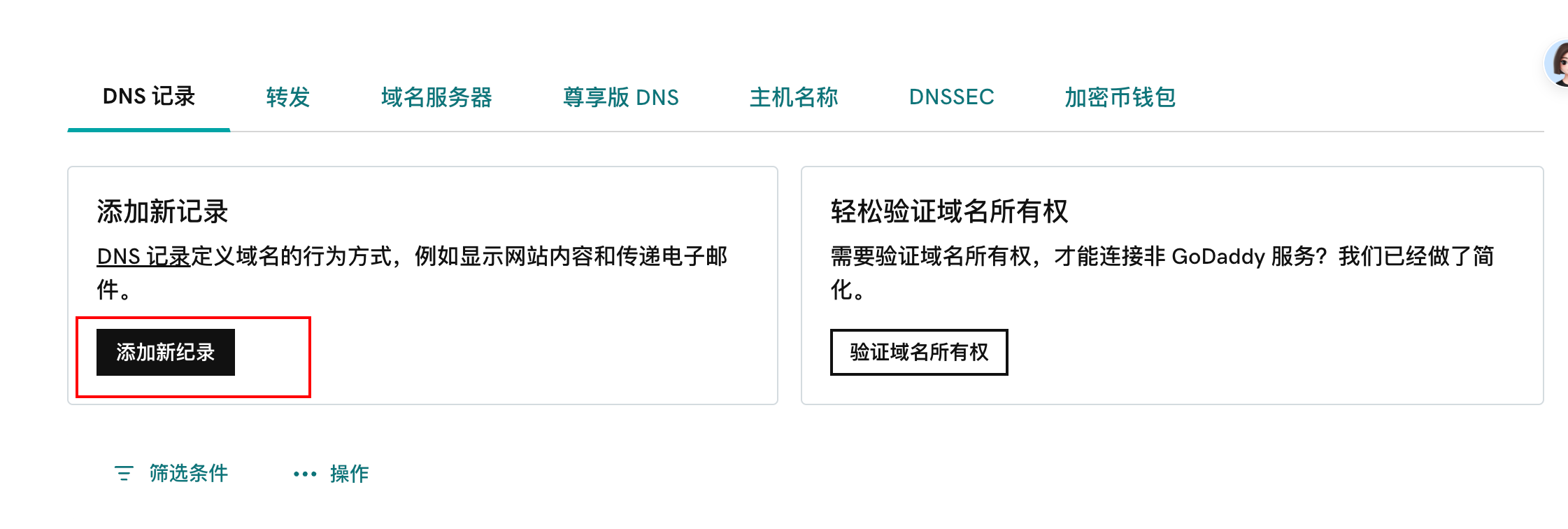
- Open the DNS records page for your domainSign in where you bought the domain (GoDaddy, Aliyun, Tencent Cloud, Cloudflare, Namecheap, and others), open your domain list, pick the domain you want, then open DNS / DNS records / Manage DNS. Every registrar names it differently — DNS, DNS records, domain resolution, Manage DNS.
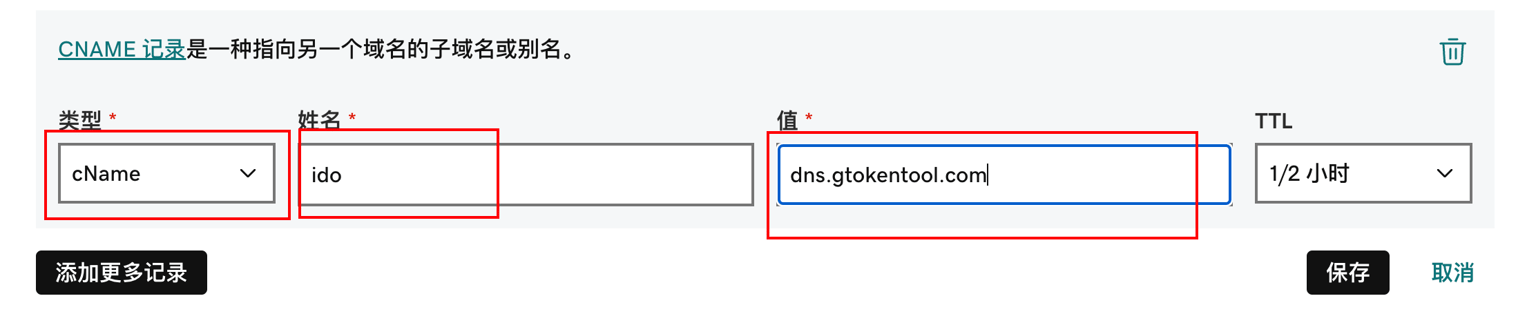
- Add a CNAME recordType: CNAME. Host / Name: ido. Value: dns.gtokentool.com. Leave TTL at the default. Enter only ido as the host — some registrars append the domain for you, so typing ido.your-domain.com ends up as ido.your-domain.com.your-domain.com.
- Wait for the record to resolveUsually under 10 minutes. A freshly registered domain, or one whose nameservers just changed, can take about an hour. The direct check: open ido.your-domain.com — if the IDO page loads, it is live.
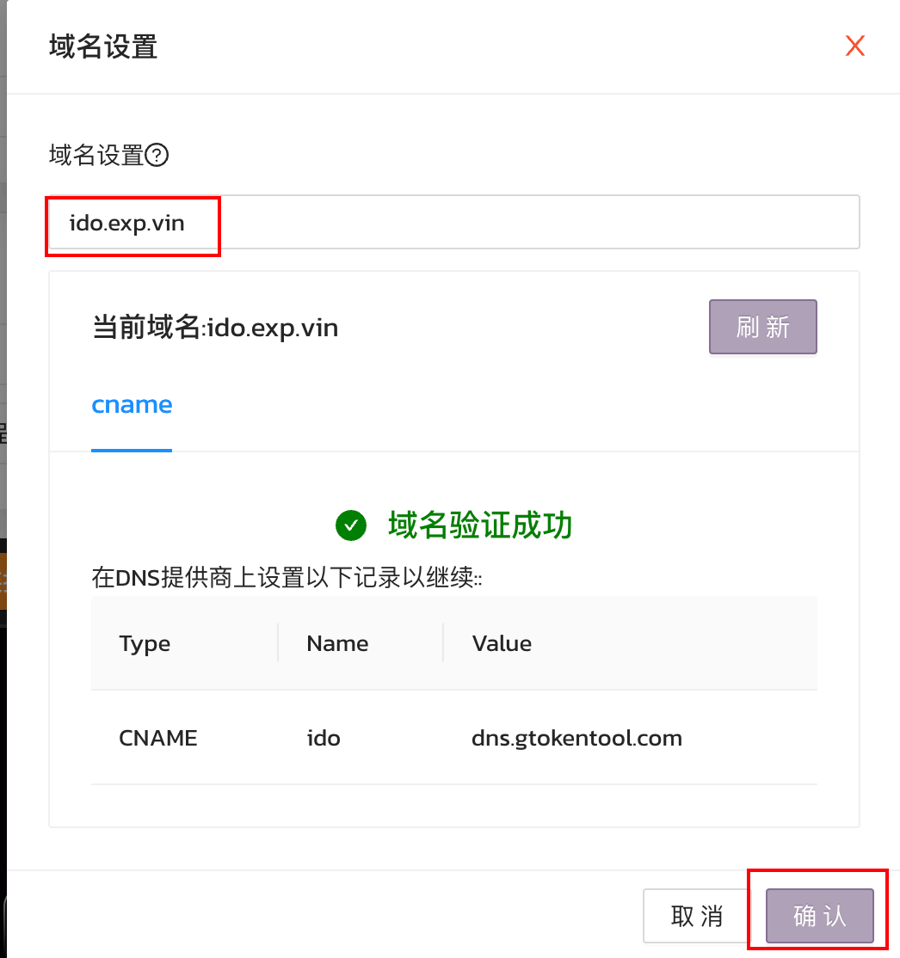
- Save the domain in the consoleOpen the My IDOs console → Project site · domain binding → enter ido.your-domain.com → Save domain. Once saved, the link on that panel is your project site and can go straight to your community.
Careful · A root domain cannot be CNAMEd directly
Per DNS rules a root domain like example.com cannot be a CNAME target, so the subdomain ido.example.com is the easy path. If you must use the root, you need ALIAS / ANAME records from your DNS provider, or move the nameservers to one that supports CNAME flattening.
| Field | What to enter |
|---|---|
| Type | CNAME |
| Host / Name | ido |
| Value | dns.gtokentool.com |
| TTL | Default (10 minutes or 1/2 hour both work) |
- Still not opening after an hour: confirm the CNAME saved and the host name is right, then confirm the domain’s nameservers still point at your own DNS provider.
- Keep one CNAME per host name — duplicate records fight each other and resolution gets unpredictable.
- The console rejects the domain: enter ido.your-domain.com only, with no https:// and no path after it.
- Still stuck: send us the domain and a screenshot and we will dig in.
Related pages